
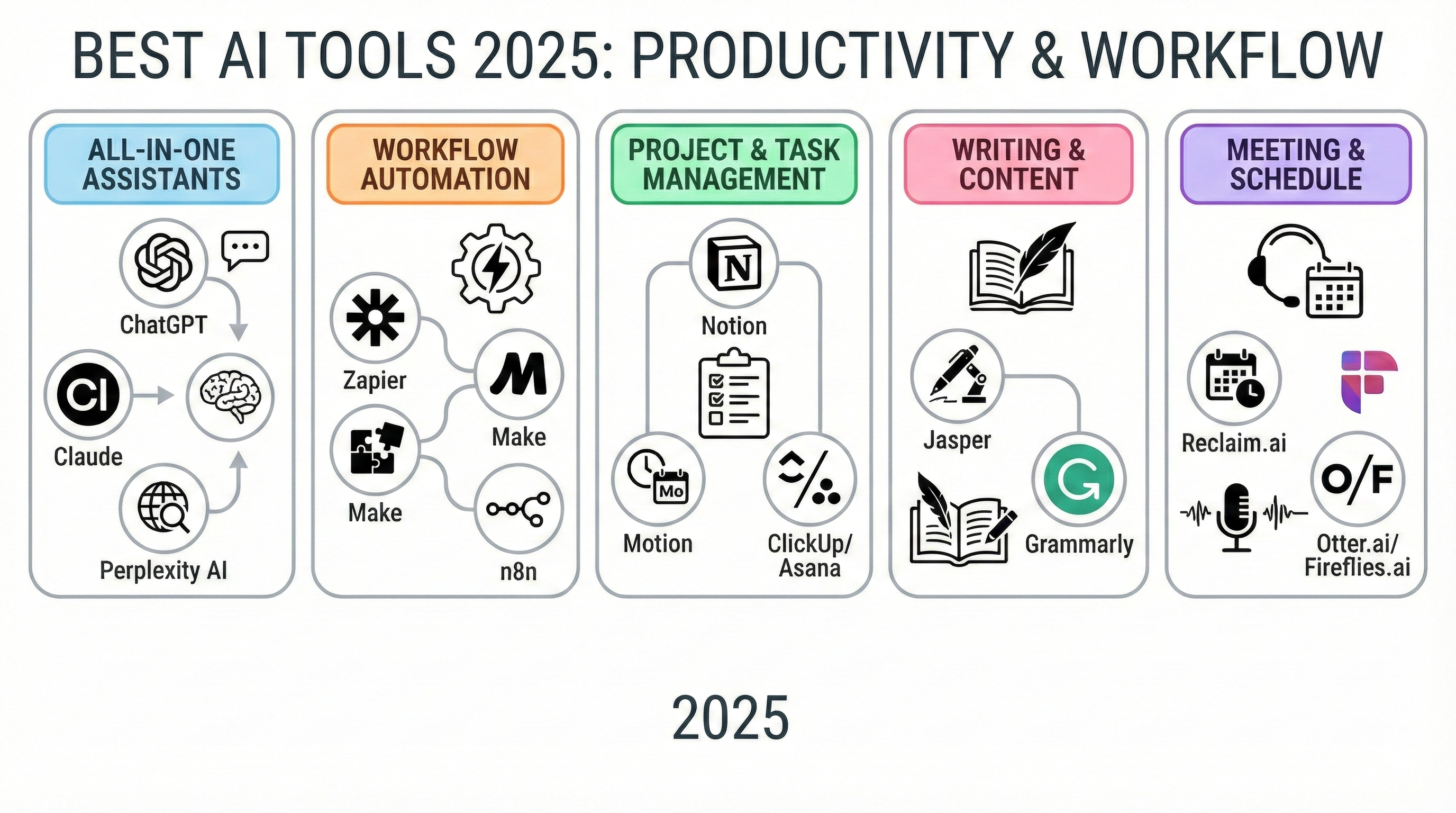
Every year, hundreds of new AI tools promise to make you faster, smarter, and more productive. Yet most people still feel overwhelmed, stuck in meetings, buried in emails, and spending hours on repetitive tasks.
The problem isn’t that AI doesn’t work.
The problem is most AI tools don’t fit real workflows.
In 2025, the best AI tools aren’t the flashiest ones—they’re the ones that quietly save time every single day. This article breaks down the best AI tools in 2025, so you can see what actually works and why.
The Real Problem With AI Tools in 2025
Let’s be honest.
Most professionals don’t need “next-gen intelligence.” They need:
- Faster writing
- Fewer meetings
- Cleaner data
- Less manual work
- Better focus
Instead, they end up juggling too many tools, learning new interfaces, and fixing AI-generated mistakes. The result? More time spent managing AI than benefiting from it.
That’s the productivity trap.
Why This Problem Is Getting Worse
AI adoption is accelerating, but clarity isn’t.
New tools launch every week. Each claims to be “the future of work.” But:
- Tools don’t integrate well
- Outputs still need human review
- Learning curves eat productivity
- Context switching kills focus
Ironically, AI—meant to save time—often creates more work when chosen incorrectly.
The Solution: Practical AI Tools That Fit Real Work
The best AI tools in 2025 share one thing in common:
They work inside tools you already use.
Here are the AI tools that actually deliver value—not hype.
1. ChatGPT (For Thinking, Writing, and Analysis)
ChatGPT remains one of the most flexible AI tools available.
Why it works:
- Drafts content quickly
- Summarizes long documents
- Explains complex ideas clearly
- Works with spreadsheets and files
It’s not a replacement for thinking—but it dramatically reduces starting friction.
2. Microsoft Copilot (AI Where Work Already Happens)
Microsoft Copilot integrates directly into Word, Excel, Outlook, and PowerPoint.
Real benefits:
- Generates Excel formulas
- Drafts emails in seconds
- Turns documents into presentations
- Summarizes long reports
Because it lives inside Microsoft tools, adoption is frictionless—and that’s why it works.
3. Notion AI (Internal Knowledge, Done Right)
Notion AI helps teams and individuals manage information overload.
Best use cases:
- Cleaning messy notes
- Creating structured documents
- Extracting tasks from meetings
- Summarizing research
It doesn’t invent ideas—it organizes them. That’s its strength.
4. Grammarly AI (Clear Writing, Less Effort)
Grammarly in 2025 is less about grammar and more about communication clarity.
Practical use:
- Fixes tone issues
- Rewrites awkward sentences
- Improves clarity instantly
- Saves editing time
For professionals writing daily, it’s an easy productivity win.
5. Otter.ai (Meetings Without Memory Loss)
Otter.ai solves a simple problem: remembering what was said.
What it does well:
- Transcribes meetings
- Highlights action items
- Creates summaries
- Makes meetings searchable
No opinions. No assumptions. Just accurate records.
6. Zapier AI (Automation Without Code)
Zapier AI lets you automate repetitive tasks using plain language.
Examples:
- Sync data between apps
- Send automated emails
- Create tasks automatically
- Update spreadsheets
This is where AI delivers compounding returns.
Proof That These Tools Work
These tools are used daily by:
- Product teams
- Data analysts
- Marketers
- Founders
- Students and professionals
Not because they’re exciting—but because they reduce workload consistently.
That’s real productivity.
What You Should Do Next
Don’t adopt five AI tools at once.
Pick one tool that:
- Fits your current workflow
- Solves a real pain point
- Saves time every week
Use it daily for two weeks.
Then decide if it earns its place.
Final Thoughts
The best AI tools in 2025 don’t feel revolutionary.
They feel necessary.
And that’s exactly the point.